
Back to Flowcharts with Railix
Before we learned to code, many of us learned to draw flowcharts. Creating with Railix feels like coming a full circle.
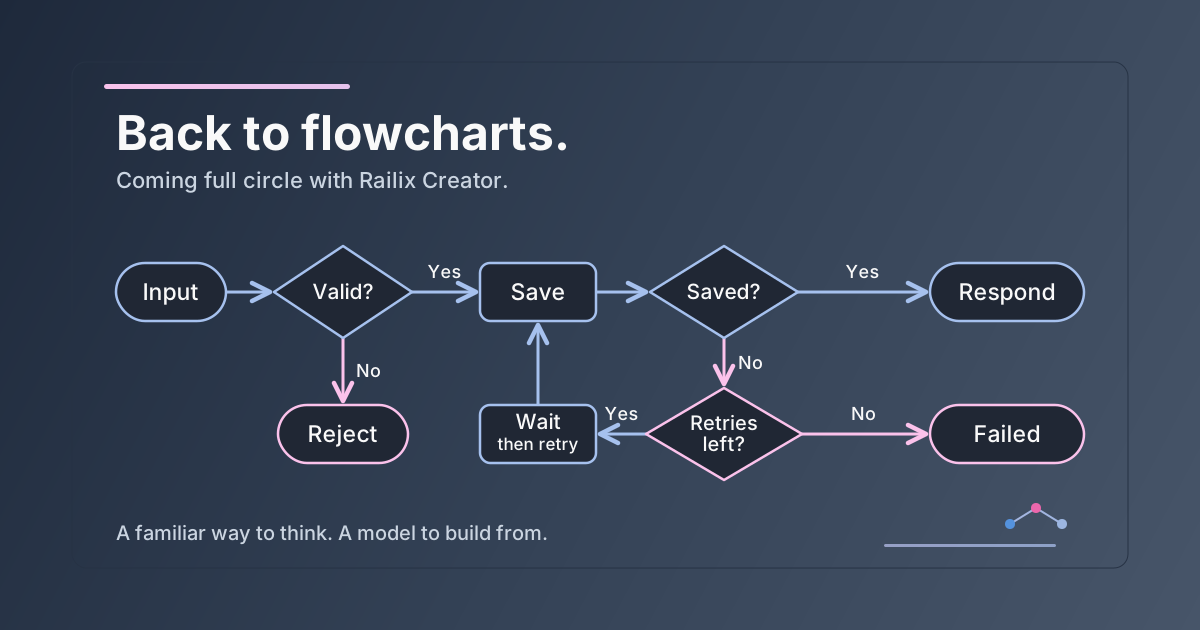
Before we learned to code, most of us learned to draw flowcharts. A start, a few boxes, a decision, and arrows connecting everything. We worked out what should happen before worrying about how to write it.
Where does the input come from? What happens next? What if the answer is no? Those were often our first programming questions, asked with a pencil in hand.
Then we learned to code. The logic moved into files, functions and classes. As our applications grew, following that logic meant moving between files. And when we needed to explain it to someone, we often found ourselves back at a whiteboard, drawing boxes and arrows again.
That familiar experience has been on our minds while working on Railix Creator.
We have made the Creator more intuitive in our latest update, so following an application feels more like following a flowchart. You can see the steps, the decisions and the paths connecting them.
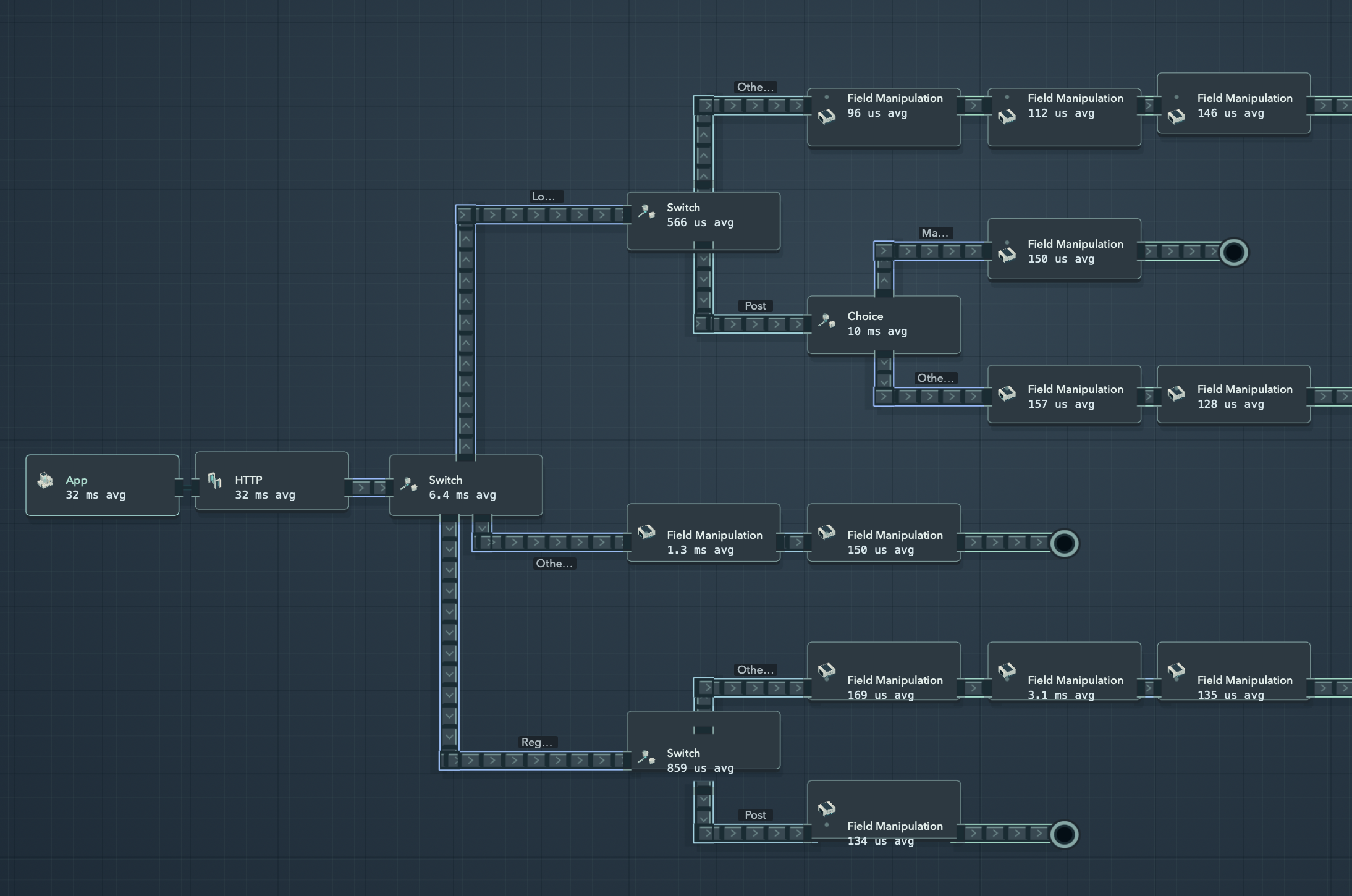
Think of a simple request: check the input, save it if it is valid and return a response. If the input is invalid, take a different path and explain why. Seeing those routes together lets you walk through the behavior from beginning to end.
It also gives a conversation somewhere to start. What happens if this check fails? Should that step come earlier? Is there a route we have missed? You can point to the part you mean and follow it together.
The Steps describe the work, their links determine what happens next, and Railix builds the application from that model. The flow you use to understand the application also shapes its behavior.
That is why making the Creator flow more intuitive to follow matters. Whether you are building a flow, reviewing it with a teammate or returning to it months later, you have a visible place to pick up the story.
We started with flowcharts to work out what to build. Now we are bringing that into the IDE we use to build software.